All you need to set up your Amazon Echo Show device is a smartphone/tablet or desktop/laptop, wifi connection, internet service, and an amazon account. You need to know the username and passwords of your wifi connection and amazon account.
For installation, first plug in the power adapter of your Echo Show device. Press the device start button. The device will start automatically in about 2 minutes. Most of the time it will only start when you plug the device in. There is a volume down/up and camera/microphone on/off button on the device.
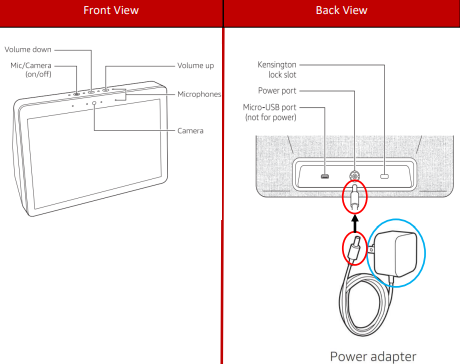
Download the Alexa mobile application on your mobile phone and plug the device into the socket. The device will turn on automatically and speak to you as “I’m ready for installation”. Then select the language you want to use the device from the screen that opens. For example: English
Then the device will search for wifi and you can connect to your wifi network by entering your password. You can set your wifi password on the touch screen on the device.
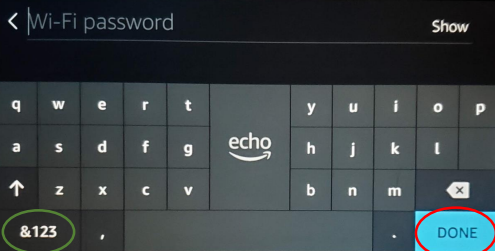
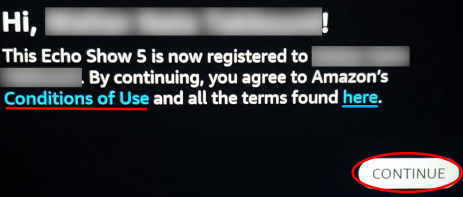
If you don’t want to enter your password every time, you can register your password to Amazon and make an automatic wireless network connection. The wifi connection will automatically occur and then it will direct you to the Amazon account page. Login to your amazon account with your e-mail address and password. Your name will appear on the page that opens after login and you will need to approve some privacy terms.
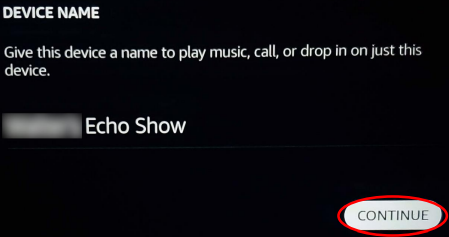
Then we continue the installation, new screens are constantly appearing, you choose the time and time zone, then you determine which room in your house you will put your device in, and you specify a name for your device. For example; “Bedroom lights”. Naming the device is important if you have multiple Amazon Echo devices at home so that there is no confusion when managing them through the app. After entering the name of the device, the device itself will install the latest updates.
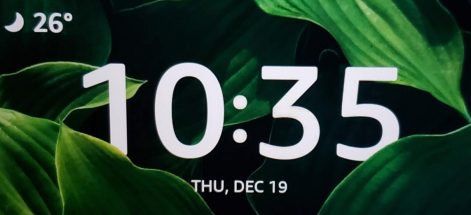
After all these processes, the device installation is completed. After the Echo show 8 installation is finished, the standard screen view of the device will appear. A screen appears showing what time it is and the weather. If you want, you can customize your screen later through the settings. Data such as weather only works correctly with the internet. If you want, you can use your device without internet only in light and clock. You can make all other necessary settings via the Alexa app.
You can now use your Amazon Echo show 8 device with alexa by giving commands. Make phone calls, send voice messages, play music and watch videos with your device. You can make a video call by saying the name of the person in your contact list. You can watch Youtube and Amazon videos by using the device as a tablet. You can perform operations such as playing, pausing and closing the video just by speaking with the commands. You can manage your home using all the capabilities of Alexa, and perform many operations such as weather, lights, clock, alarm, ordering, smart home management, camera management, etc.
Very simple and easy to follow for everyone
Well it will not let me sign in
I need to set up
How are you doing today help me