Fire Boltt smart watch is one of the most preferred products. Our page is a guide for these smart watches. You can find information on all aspects of your Fire Bolt watch, such as connection usage, settings, and charging.
The Fireboltt smartwatch is easy to charge. After inserting the charging pin, you can charge it from your computer or mobile phone via the USD cable. There is a charge indicator on the screen. You can see how much you charge.
How to use: It can be navigated by swiping left/right and up and down the screen. There is no need to explain the same thing for all menus one by one. Whichever menu you enter, you can switch between sections by moving the screen in that section. Swipe left to view the quick menu. You can switch to that menu by clicking on the menu you have brought up. Then you can use the menu with right/left/up/down movements.
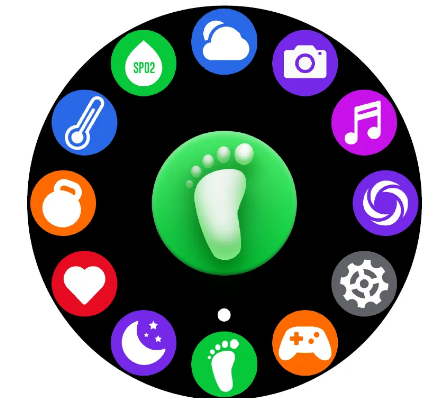
- Swipe right to view step tracking, sleep tracking, heart rate and oxygen measurement, weather, shutter, video player, breathing.
How to change watch face on Fire bolt smart watch
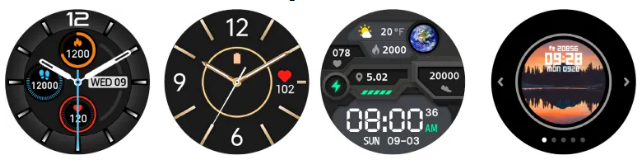
Press the screen, swipe right to change the watch face. Record by short pressing the screen to decide on the watch face you like. If you want to do it through the app, first go to profile > watch faces and download the watch faces from here. Then you can choose your favorite one among them.
Notifications: First of all, you need to make the necessary settings on both the application and your mobile phone. You should keep the notifications on for the fit application on your mobile phone. Likewise, notification settings must be turned on on the watch. The bluetooth connection of the watch and the mobile phone must be turned on and configured. If there is a disconnection or bluetooth is not turned on, notifications will not come. If the connections are made, the incoming notification is automatically displayed on the clock screen.
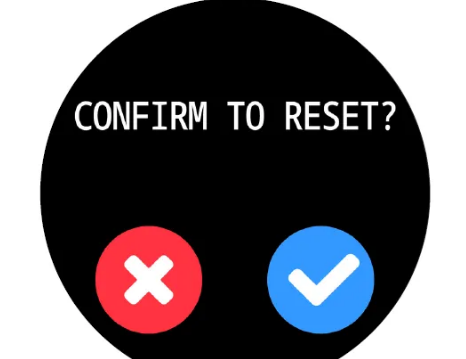
Factory Reset: You can press and hold the touch button, after that you will see a confirmation dialog. When you confirm this, your smartwatch is reset. Why reset? If you are going to sell your device, it makes sense to reset all your data. Or a reset can be done when you have a problem that you cannot solve or problems such as clock freezing. To use the device again, you must connect from the beginning.
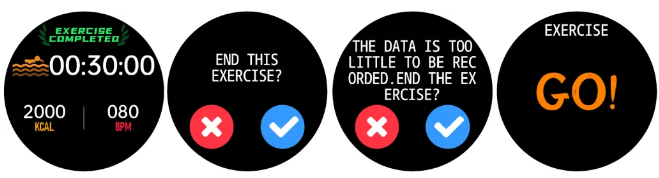
Starting a Workout: There are some sport-specific workouts pre-recorded on the watch; Walking, Running, Cycling, Jumping, Football, Basketball, Badminton.You can activate it by selecting one of them. Since the workouts take up space in the watch memory, if you are going to use many workouts at the same time, you need to check the memory of the watch.
Clock cleaning is easy and simple. We just clean the watch with water and wipe it with a dry cloth before use, it’s that simple. The smart watch is not very resistant to sea water and chemicals, so I suggest you act accordingly.
How to connect watch to my phone
How to connect watch with my phone
I want to start my watch
How to contact watch with my phone
I have still to use my watch for making, receiving phone calls.
How connect with phone?
Hold the side button 43 seconds